Every method, in order
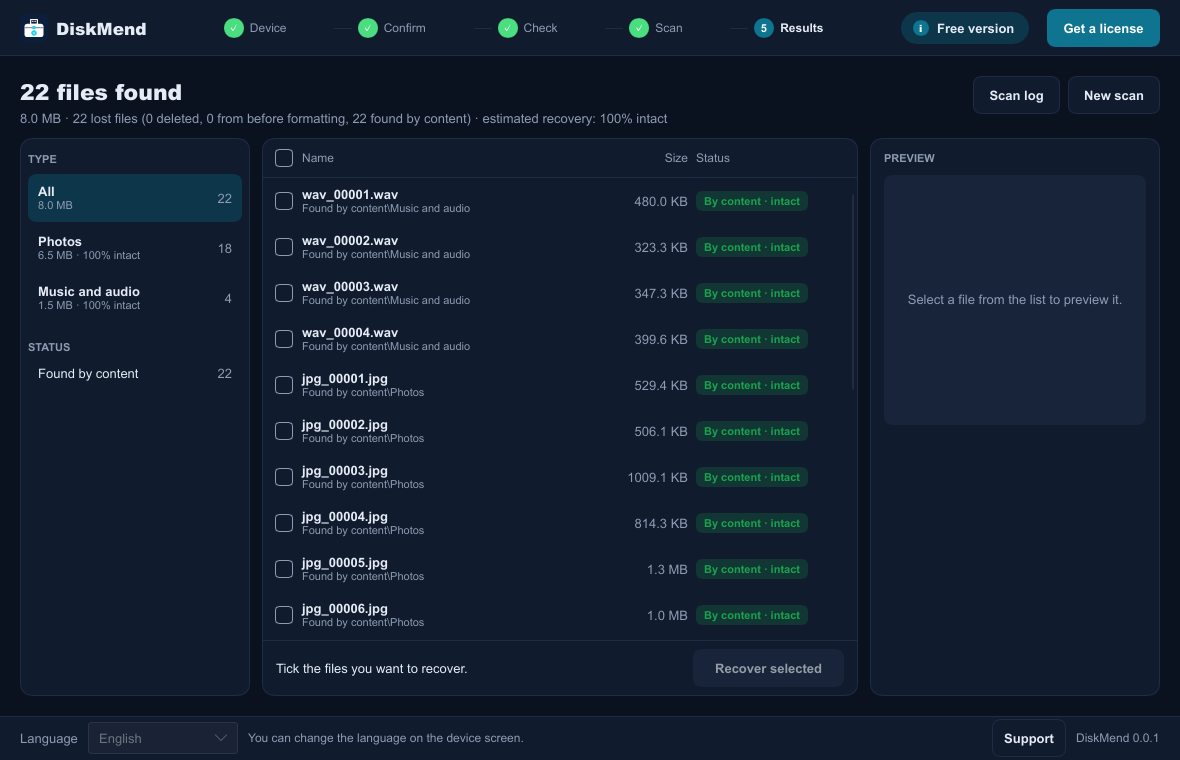
Recovery tools differ mostly in how many ways they try. DiskMend runs the full ladder automatically and tells you which step found each file.
DiskMend · engine
Every method, in order
Recovery tools differ mostly in how many ways they try. DiskMend runs the full ladder automatically and tells you which step found each file.
- 1
Partition table and its backups
MBR, GPT and the backup GPT at the end of the disk.
- 2
Backup boot records
NTFS, FAT32 and exFAT keep a second copy; a damaged first copy is no dead end.
- 3
File table and its mirror
$MFT with $MFTMirr on NTFS, folder trees and deleted entries on FAT and exFAT.
- 4
Old records after formatting
File records left over from before a quick format are searched across the whole volume.
- 5
Lost partition search
Space outside the partitions is checked for boot records of partitions that are gone.
- 6
Search by content
17 formats (JPEG, PNG, HEIC, MP4, MOV, PDF, Office, ZIP, MP3, …), each verified from start to end.
What it can bring back
Deleted files
Shift+Delete, emptied Recycle Bin, files removed by a camera or phone.
Formatted drives
Quick format on FAT32, exFAT or NTFS; files from before the format are listed separately.
“You need to format the disk”
RAW drives Windows will not open. Backup boot records often still describe the old file system.
Lost partitions
A partition that disappeared or was replaced by a new table is searched for in the empty space.
Emptied Recycle Bin
Files deleted from the Recycle Bin get their original names and folders back from its records.
Camera and phone cards
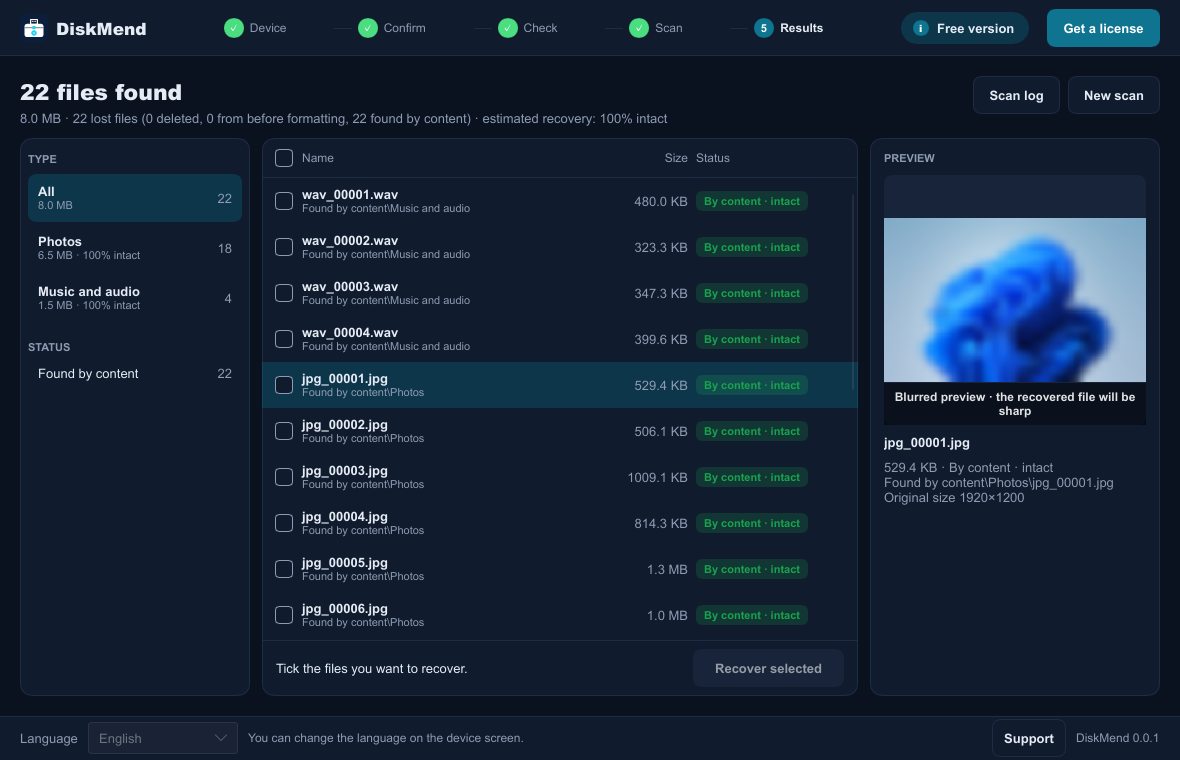
Photos and videos are recognised by their content, even when the folder structure is gone.
See it in your language
Built so you do not lose more
Read-only
The drive is opened for reading only. DiskMend never repairs, formats or writes to the drive you are recovering.
Saves elsewhere
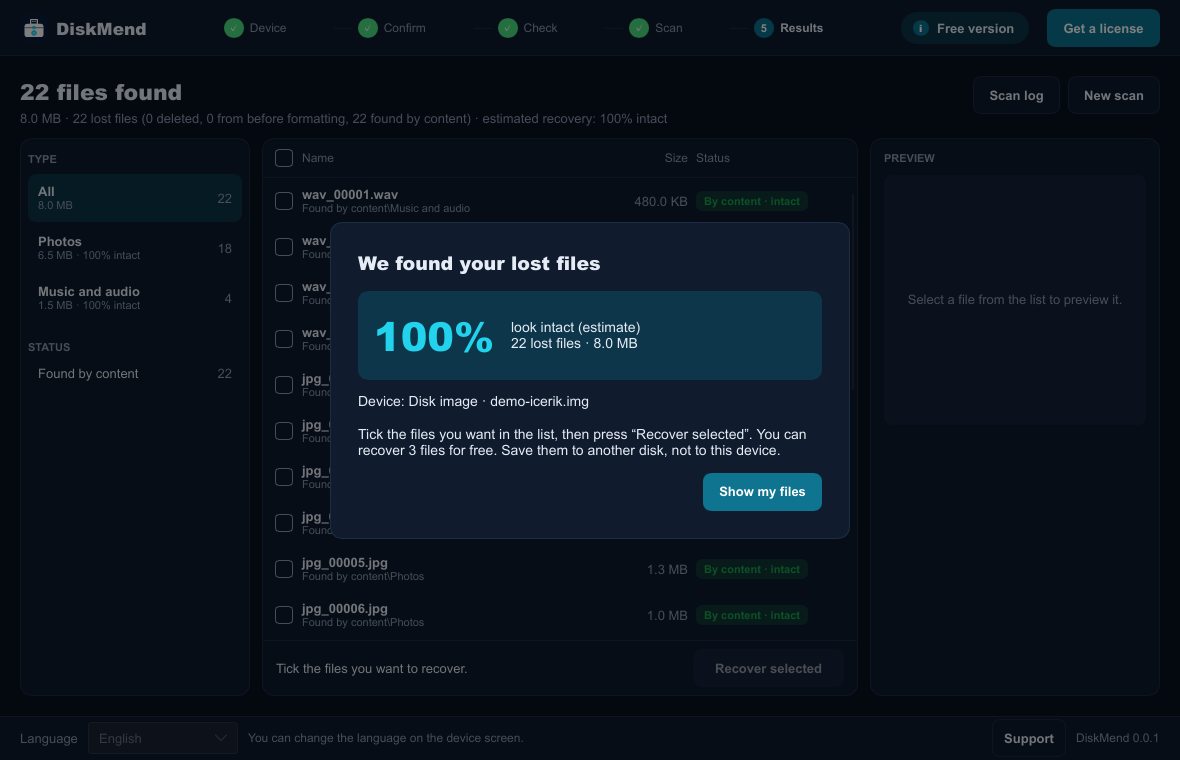
Recovered files cannot be saved onto the same drive, so nothing still waiting to be recovered gets overwritten.
Honest results
Each file is marked intact or partial. No promises of 100%: you see the estimate before you pay.
Start with a free scan
See what can be recovered before you decide anything.
Windows 10 or 11 (64-bit) · digitally signed by Mahir Gündüz